Home › Launch monitors › FlightScope X3
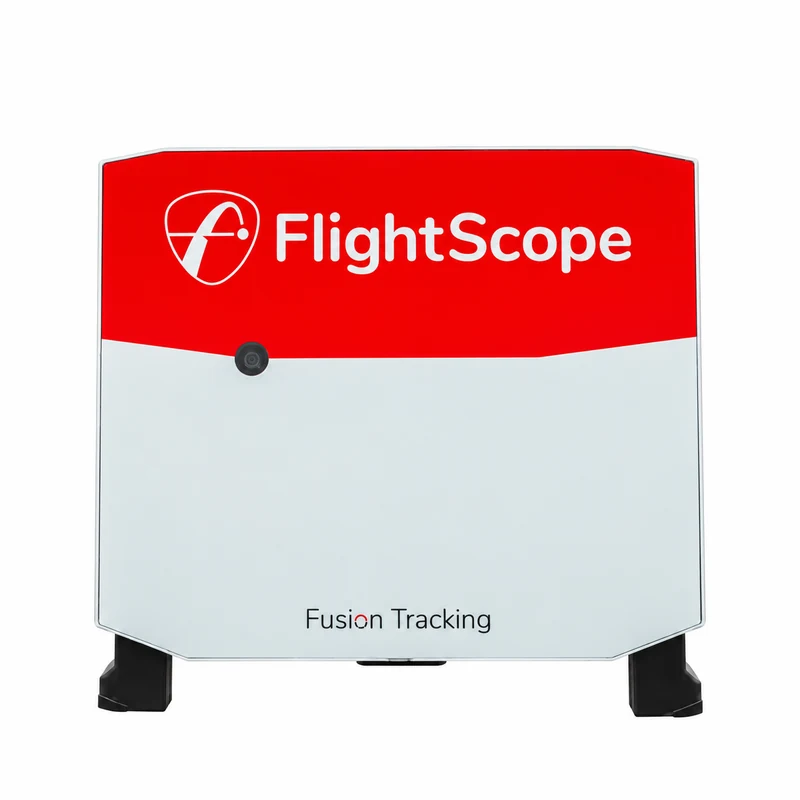
FlightScope X3 Review
FlightScope’s professional radar launch monitor, now replaced by the carbon-fibre X3C. The information here helps if you are looking at a used X3.
We may earn a commission if you buy through our retailer links, at no extra cost to you. How our links work.
The 30-second verdict
Replaced by the FlightScope X3C. A used X3 can still be a strong radar launch monitor, but check the price against the X3C and the Full Swing KIT.
Buy it if
- You find a used X3 at a clear discount
- You want professional radar data outdoors
- You have the room depth it needs indoors
Look elsewhere if
- You want a new unit with full support (see the X3C)
- Your room is short (see the Foresight GC3)
- You mainly want a home simulator (see the Garmin R50)
Why this score
Our score: 95/100. Evidence-led editorial assessment drawing on manufacturer documentation, independent published testing, owner experience where useful, current equipment market information and comparative analysis. The score is our buying judgement, not a measured performance margin.
What supports the recommendation
- Professional radar data
- Very wide set of parameters
Main trade-offs: Replaced by the X3C; Needs a deep room indoors.
Key specifications
| Technology | Fusion Tracking: 3D Doppler radar plus image processing |
|---|---|
| Data | 50+ parameters covering ball, club, chipping and putting |
| Placement | Behind the ball: 2.4–3.6 m from the tee, plus at least 2.4 m of ball flight |
| Indoor use | Aluminium stickers on the ball are needed for accurate spin |
| Weight | 3.05 kg |
Why it stands out
The X3 was FlightScope’s professional radar, with a very wide set of data and good outdoor tracking. It has been replaced by the X3C, which adds a carbon-fibre body, a 6-hour battery and self-levelling feet.
As a radar that sits behind the ball, it needs a deep room indoors and metallic stickers on the ball for reliable spin. For home use, most golfers are better served by a camera unit beside the ball.
Pros and cons
What works well
- Professional radar data
- Very wide set of parameters
- Designed for outdoor range use
What to consider
- Replaced by the X3C
- Needs a deep room indoors
- Needs ball stickers indoors for spin
Owning it: warranty, returns and rules
| Left- and right-handed golfers | It sits behind the golfer, so left- and right-handers can share it without moving it. Allow the extra room depth this needs. |
|---|---|
| Balls and stickers | Indoors, aluminium stickers on the ball are needed for accurate spin. |
| Budget beyond the box | For indoor use, budget for a hitting mat and a net or impact screen, and for any simulator software you want. See complete setup costs. |
Warranty and returns terms checked 5 October 2026. Retailers and manufacturers can change them, so check before you buy.
Alternatives to consider
Compare it
Questions buyers ask
Has the FlightScope X3 been replaced?
Is a used FlightScope X3 worth buying?
It can be, at a clear discount. Check the price against a new Full Swing KIT and make sure your room is deep enough.
Does the X3 work indoors?
Yes, with enough depth and metallic stickers on the ball for accurate spin.