Home › Launch monitors › Uneekor Eye Mini
What independent testing reveals
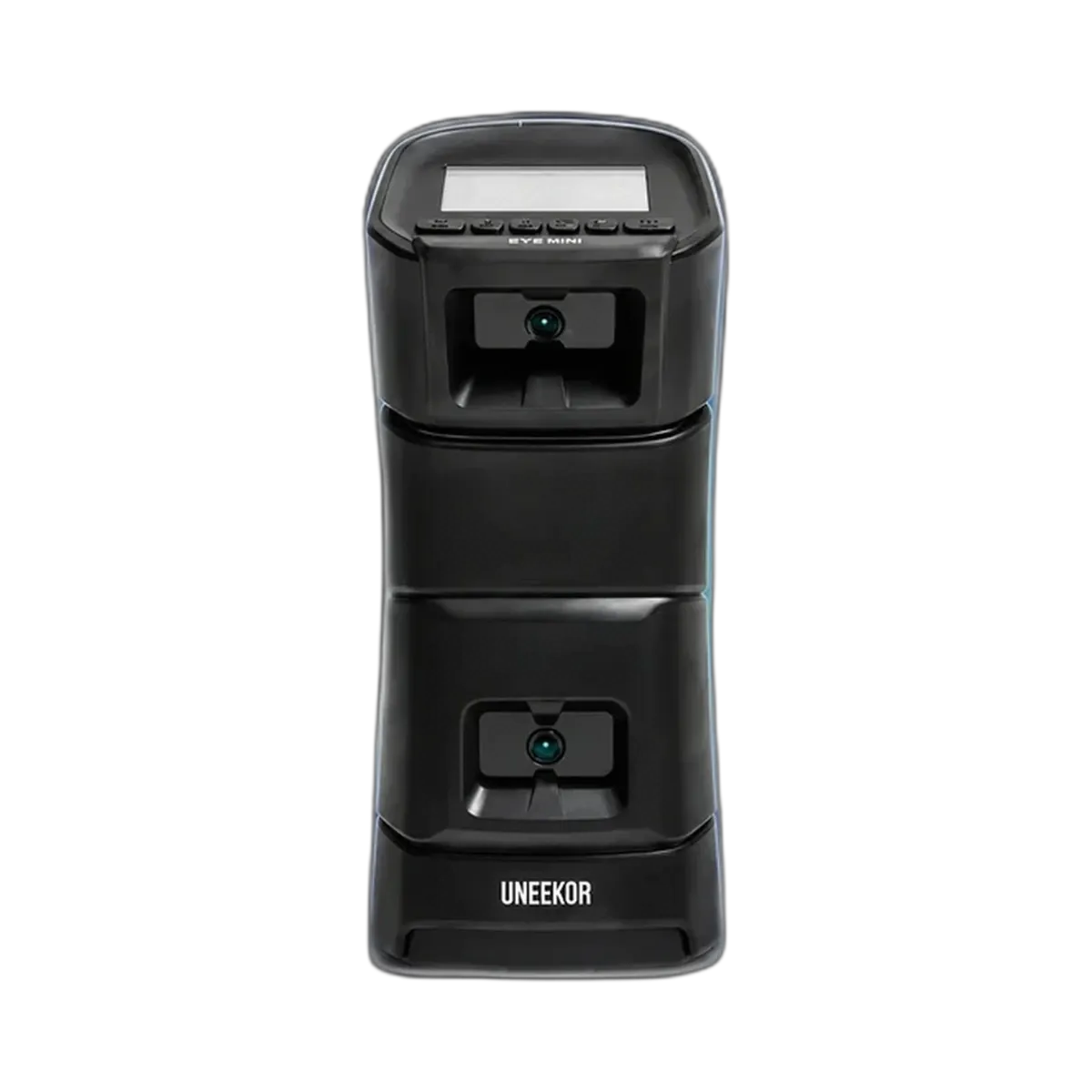
Plugged In Golf’s Matt Saternus liked the Eye Mini’s clear display, simple use after registration and well-protected carrying case. His GCQuad comparison was particularly encouraging with wedges and mid-irons. The practical caveats were the initial PC registration step and larger differences on some longer or very poor shots.
Source: Plugged In Golf — Matt Saternus.
Read the detailed findings and test limitations
The reviewer found the two-ball alignment method effective and the app connection stable. Some badly struck shots looked better on Eye Mini than on the reference unit; assess current software with your own range of shots if detailed diagnosis is the priority.
The report describes the model and software available during its original test. Check the version, current software access and supplied equipment before buying; historical prices are not current purchase terms.
The 30-second verdict
A strong camera unit for simulator golf in a short room. If it will stay in one bay, the cheaper Eye Mini Lite gives the same data without the battery and screen.
Buy it if
- Your room is short, as it sits beside the ball
- You want to move it between rooms
- You plan to use GSPro or E6 Connect
Look elsewhere if
- It will stay in one bay (see the Eye Mini Lite studio setup)
- You want club face angle and dynamic loft
- You want a cheaper camera unit (see Square Golf)
Why this score: 92/100
What supports the recommendation
- No marked balls needed
- Suits short rooms
Main trade-offs: No face angle or dynamic loft; Club data needs stickers.
Evidence: Uneekor · PlayBetter comparison. How we use evidence · How we score
Key specifications
| Technology | Two high-speed cameras reading the ball’s dimples |
|---|---|
| Placement | Beside the ball |
| Data | 19 ball and club values including putting; club data needs face stickers |
| Battery and screen | 6–8 hours; built-in e-ink screen; carry case |
| Size and weight | 40 × 16.5 × 16.8 cm; 3.6 kg |
| Software | Free View package plus a 3-month trial; works with GSPro, E6 Connect and TGC 2019 |
Manufacturer and retailer figures, checked September 2026. Sources: Uneekor · PlayBetter comparison
Why it stands out
Uneekor designs it mainly for indoor use. Paid memberships unlock more features, and it works with the main simulator programs.
Pros and cons
What works well
- No marked balls needed
- Suits short rooms
- Portable with a battery
- Works with GSPro and E6 Connect
What to consider
- No face angle or dynamic loft
- Club data needs stickers
- Mainly indoor
Owning it: warranty, returns and rules
| Left- and right-handed golfers | It sits beside the ball, so it has to be moved to the other side when a left-hander takes over. Rooms shared by both need extra width. |
|---|---|
| Balls and stickers | No marked balls needed; club data needs face stickers. |
| Budget beyond the box | For indoor use, budget for a hitting mat and a net or impact screen, and for any simulator software you want. See complete setup costs. |
Warranty and returns terms checked 5 October 2026. Retailers and manufacturers can change them, so check before you buy.
Alternatives to consider
Compare it
Questions buyers ask
What is the difference between the Eye Mini and the Eye Mini Lite?
They share the same cameras. The Eye Mini adds a battery, a screen and a carry case; the Lite must stay plugged into mains power and a PC.
Does the Uneekor Eye Mini work outdoors?
Uneekor designs it for indoor use.
Do I need marked balls?
No. It reads the ball’s dimples, so any ball works.